Docs/Custom domains
Custom domains
Connect your own domain name for a fully professional web presence.
Overview
By default, your site is available at your-site.codunk.site. You can connect your own domain (e.g. www.mybusiness.com) for a professional look.
Step 1: Buy a domain
If you do not have a domain yet, you can buy one from any registrar: Namecheap, Cloudflare, Google Domains, etc.
Step 2: Configure DNS
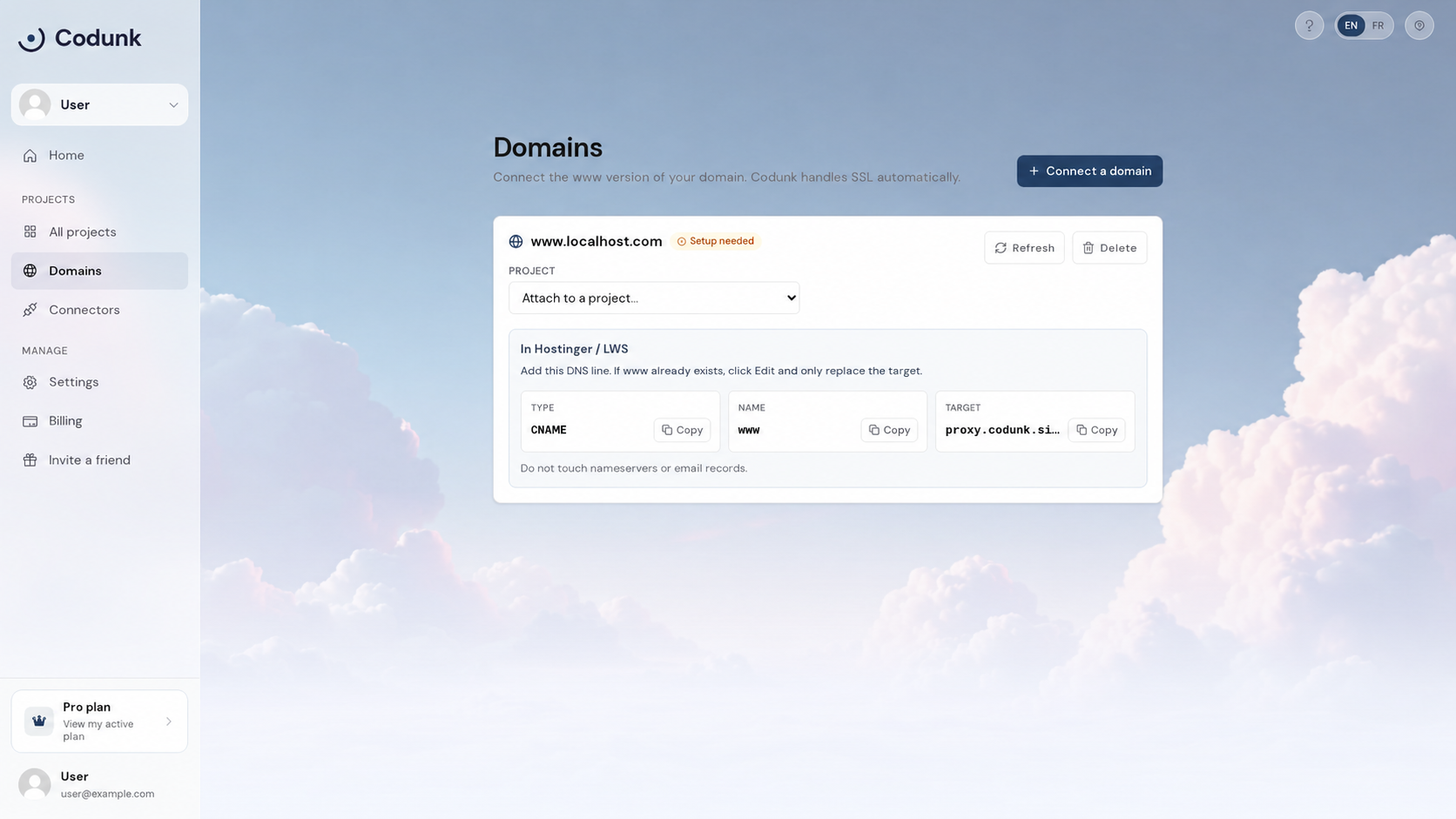
In your domain registrar or DNS provider, add a CNAME record:
Type: CNAME
Name: www (or @)
Value: sites.codunk.site
💡 DNS changes can take up to 48 hours to propagate, but usually take 5-30 minutes.
Step 3: Connect in Codunk
- Go to your Dashboard → Domains.
- Click Add domain and enter your domain name.
- Select the project you want to connect.
- Codunk will verify the DNS and issue a free SSL certificate automatically.
SSL
SSL (HTTPS) is provisioned automatically for all custom domains at no cost. Your site will be secure from the first visit.